
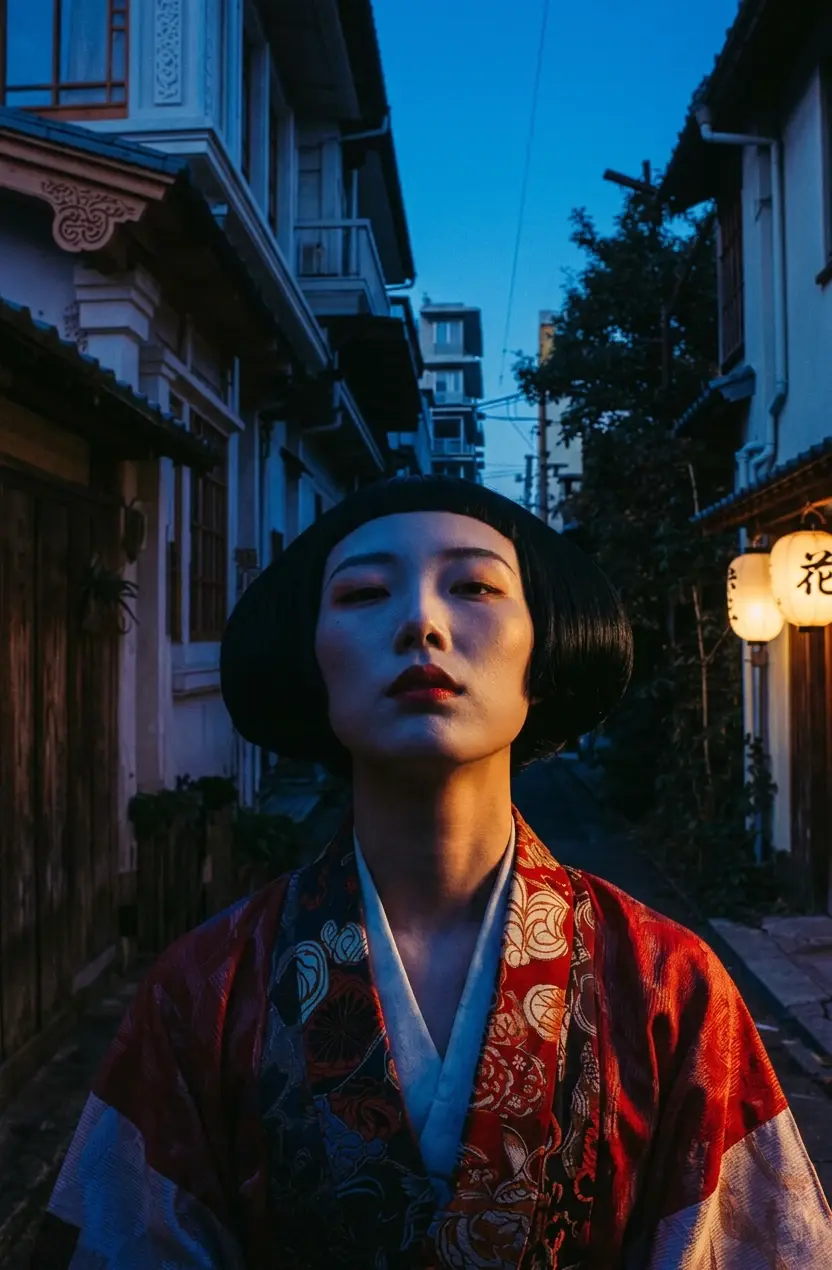
Japanese woman in red floral kimono with black bob and bold red lips, narrow traditional alley at dusk, cold blue shadows with warm side lighting on face, cinematic street portrait, Fujifilm Velvia grain
Cinematic street portrait
High-fidelity AI image model by Google
Build higher-fidelity visuals from text or references, then choose the resolution that fits the job. Nano Banana Pro keeps generation and editing in one model, with up to eight reference images and output up to 4K.
The workspace uses google/nano-banana-pro for both text-to-image and image-to-image creation.
What a Nano Banana Pro prompt looks like
Sample prompts from the AI Seedance gallery. Use one as a starting point, then change one variable at a time in the workspace above.
Japanese woman in red floral kimono with black bob and bold red lips, narrow traditional alley at dusk, cold blue shadows with warm side lighting on face, cinematic street portrait, Fujifilm Velvia grain
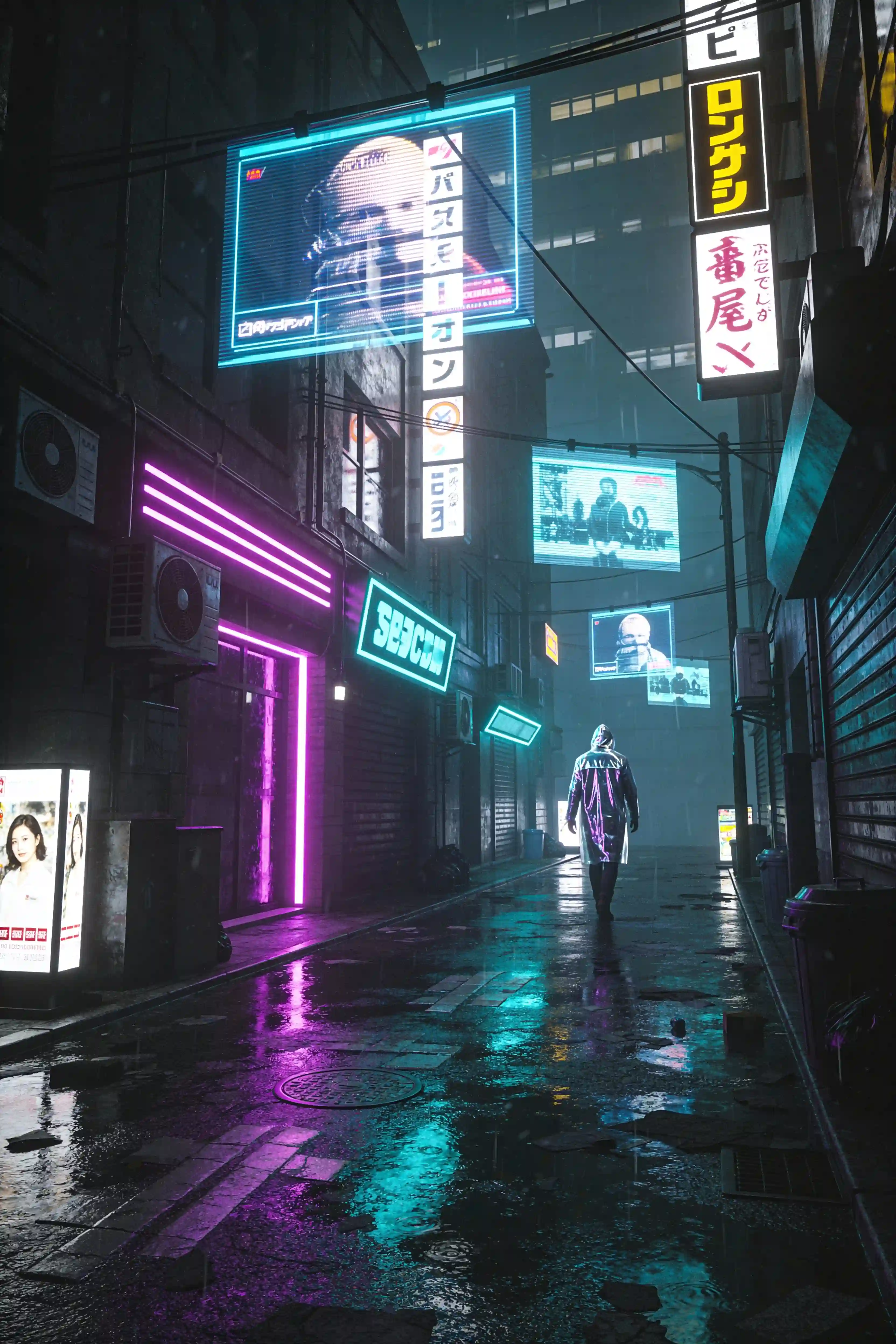
Neon-lit alleyway in a futuristic Tokyo, holographic advertisements floating in mid-air, a lone figure in a reflective raincoat walking away from camera, wet pavement reflecting purple and cyan lights, Blade Runner atmosphere, cinematic wide shot
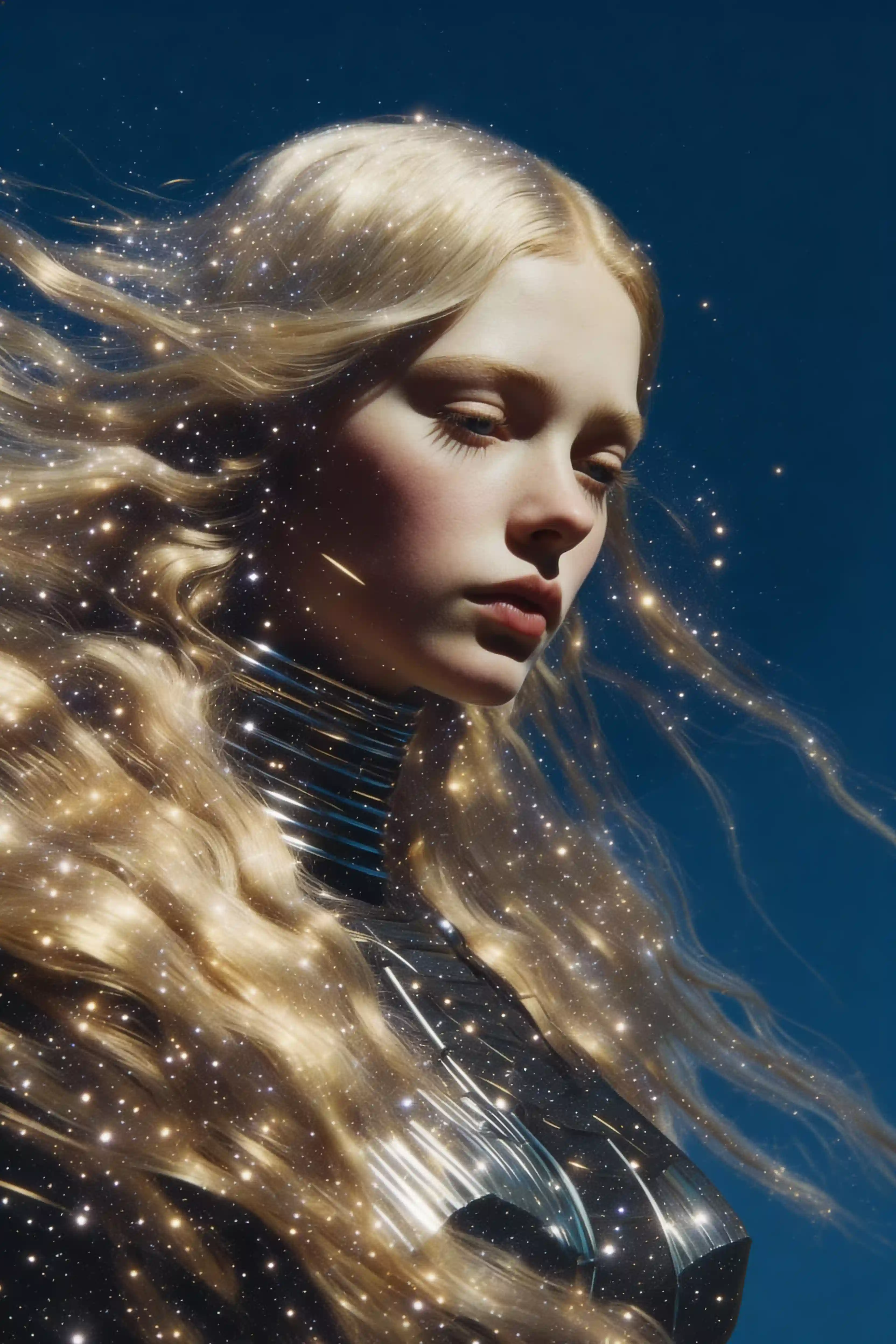
Woman portrait in profile, flowing blonde hair blending with starry galaxy, golden light particles scattered throughout hair, deep blue circular background, ethereal atmosphere, fine art photography
From brief to image
Start with a detailed prompt and add references when words alone are not precise enough.
Select an aspect ratio, output format, and 1K, 2K, or 4K resolution in Create.
Review the result at the intended size, then tighten the prompt or references for the next pass.
Capabilities that change the workflow
Generate at 1K for exploration, 2K for a sharper working asset, or 4K when the final detail matters.
Nano Banana Pro supports text-to-image and image-to-image without switching to a separate edit model.
Bring up to eight images into the prompt when a project needs clearer subject, object, or style context.
Use a more explicit prompt for layout, lighting, visual hierarchy, material, and the details that should remain stable.
Where Nano Banana Pro earns its place
Develop detailed campaign artwork with deliberate composition and room for copy.
Create polished settings and alternate presentations from product references.
Use multiple references to communicate character, wardrobe, props, and environment.
Move from fast 1K exploration to a 4K result after the direction is settled.
The nearby alternatives
Use the lighter image model for speed, Pro for resolution and references, and Seedance when the final deliverable needs motion.
| Model | Best for | Input | Output | Action |
|---|---|---|---|---|
| Nano Banana | Fast concepts and guided edits | Text or reference images | PNG or JPEG images | View |
| Nano Banana ProThis page | Detailed, production-minded visuals | Text + up to 8 references | 1K, 2K, or 4K images | View |
| Seedance 2.0 | Cinematic, multi-shot clips with sound | Text, start/end frame, or up to 9 references | 4–15s, up to 4K, native audio | View |
Questions about Nano Banana Pro
Nano Banana Pro is the higher-fidelity Google image model configured in this workspace. It supports both text-to-image and image-to-image creation with selectable 1K, 2K, and 4K output.
Yes. The current model configuration exposes 1K, 2K, and 4K resolution options. Higher resolution consumes a different amount of credits, which Create calculates before submission.
You can use up to eight reference images in the image-to-image workflow. References can clarify the subject, object, composition, or visual direction described in your prompt.
Nano Banana is suited to straightforward generation and uses a companion Edit model for uploaded images. Pro handles generation and editing in one model, adds up to 4K output, and accepts up to eight references.
The landing-page uploader accepts JPG, PNG, and WEBP images up to 10MB. After upload, the reference is carried into the Nano Banana Pro image-to-image workflow in Create.
New accounts currently receive 12 registration credits that expire after 30 days—enough for two standard generations. Create shows the required credits for your chosen resolution and settings before generation.